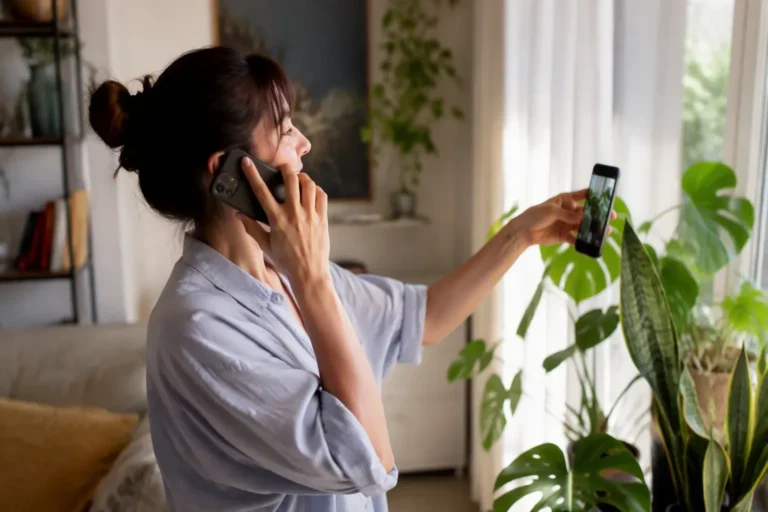
Imagine this: your dishwasher starts making a noise that can only be described as “angry”. Instead of searching forums for an hour, you point your phone at it and ask, “What is wrong with this thing?” And the assistant actually tells you.
That moment is multimodal AI, and honestly, it’s the defining shift of the last two years. Text was only the beginning. The leading models now see, hear and speak as fluently as they read and write. Dictate a memo while walking. Drop a forty-minute video into the chat and ask for the three decisions it contains. This changes what assistants are for, so let’s look at what each new sense is actually good for.
Key takeaways
- Modern models natively reason across text, images, audio and video instead of bolting separate tools together.
- Vision input is the highest-value modality for most knowledge work today.
- Voice crossed the usability threshold and unlocks hands-free and practice use cases.
- Video understanding summarizes well, but it does not watch every frame.
- Ecosystem fit matters more than small capability differences between the major assistants.
What multimodal actually means (minus the buzzword)
A multimodal model handles more than one kind of input or output. In practice, four capabilities matter. Vision input: understanding photos, screenshots, scans, charts and handwriting. Audio input: transcription and understanding of speech and sound. Voice output: speaking answers with natural prosody and emotion. Visual output: generating and editing images, and increasingly video.
Here’s the part that actually matters: in the newest systems, these are not separate tools duct-taped together. One model reasons across all of it natively. That’s why you can ask, “Does the chart in this screenshot support the claim in this paragraph?” and get a coherent answer instead of a confused one.
Vision: the most useful modality for work
Vision input is the quiet productivity revolution nobody keynoted. These are the use cases we see deliver real value every single week:
- Document intelligence. Photograph a receipt, a contract page or a whiteboard, get structured data or a clean summary. Accuracy on printed text is excellent; handwriting is decent rather than perfect.
- Chart and dashboard reading. Paste a screenshot of a graph and ask what it says, what’s odd, or what the presenter might be trying to hide. Models are genuinely good at this, and they occasionally catch mislabeled axes that humans skim right past.
- UI and code assistance. Screenshot an error, a layout bug or a settings screen, get a diagnosis. Front-end developers tell us this alone justifies their subscription.
- The physical world. Identify plants, translate a menu, assess whether that wall stain looks like a leak. Casual uses, but genuinely useful ones.
Where does vision still fall over? Precise counting in crowded images, fine spatial reasoning (“how many cubes touch the red one?”), reading dense tables across multi-page scans, and any task where being wrong looks exactly like being right.
Voice: the interface that finally works
Remember how painful voice assistants used to be? Voice mode crossed the usability threshold when latency dropped below conversational patience and the prosody started sounding human. Current voice assistants interrupt gracefully, handle accents well, and convey tone.
The practical result: people now use AI where typing was impossible. Driving, cooking, walking. And for use cases where speaking is simply faster, like thinking a decision through out loud. (Try it once. It’s oddly effective.)
Real-time voice also unlocked something unexpected: practice scenarios. Mock interviews. Language conversation partners. Rehearsing that difficult conversation with your boss before you have it. These feel less like software and more like a patient coach, and they’re among the most loved features in our reader surveys.
Video understanding: impressive and immature
Upload a video, ask questions about it. For summaries, key moments and transcribing what was said and shown, it works surprisingly well. Gemini’s long-context video handling is the current standout.
But here’s the thing: models sample frames rather than watching every moment, so quick visual events get missed. And an hour of video consumes enormous context, which means cost and occasional gaps. Treat video understanding as a strong summarizer, not a frame-perfect analyst.
Generation: images and beyond
Image generation merged into the chat assistants, and that changed how people use it: you iterate by conversation now, instead of crafting prompts from scratch. For professional work, dedicated tools still matter, as our image generator comparison details. Video generation, led by tools like Runway and Luma, produces seconds of increasingly coherent footage; our video tools roundup covers that world.
Choosing a multimodal assistant
All four major assistants, ChatGPT, Claude, Gemini and Le Chat, handle images and voice competently now. The differences live in the details: Gemini’s video and Workspace integration, ChatGPT’s polished voice mode and image generation, Claude’s document depth.
Honestly? For most people, the ecosystem question matters more than any capability delta. Which apps do you already live in? Start there. Our four-way assistant comparison goes deep if you want the full breakdown.
How we test multimodal features. We run identical test sets through each assistant: a standard pack of documents, charts, handwriting samples, photos and audio clips, refreshed quarterly. We score accuracy and note failure patterns. The protocol is public on our methodology page.
Accessibility: the quiet revolution inside multimodal AI
Amid all the productivity headlines, something more profound is happening. Multimodal models are describing images aloud for blind users, with a detail level no alt-text database ever achieved. They’re transcribing speech in real time for deaf users. Reading handwriting. Navigating interfaces. Features built for convenience turn out to be independence for millions of people, and it’s no accident that organizations like Be My Eyes were among the earliest serious deployers of vision models.
This matters for product builders too. Accessibility features are increasingly legal requirements, and multimodal AI makes meeting them dramatically cheaper. If you build anything with a visual interface, asking a vision model to describe it is now a five-minute accessibility audit that used to require specialists. The technology’s most important uses, as usual, were never in the keynote.
Capture quality: the boring detail that decides your results
One practical note before you run off to play with this, because it determines results more than your choice of model. Photograph documents flat, evenly lit and filling the frame, and accuracy jumps. Screenshots beat photos of screens, every time. For audio, thirty seconds of clean speech transcribes near-perfectly, while a noisy café recording degrades every tool on the market. And for video, short focused clips with a specific question beat hour-long uploads with vague ones.
Same discipline professionals applied to scanners and recorders decades ago, transferred to a new sensor: the model is only ever as good as the signal you hand it.
The bottom line
Back to that angry dishwasher. Here’s your homework, and it’s fun: pick one task you currently do by reading and retyping. A receipt into your expenses. A whiteboard into notes. A chart into a summary. Photograph it, upload it, and ask.
That single five-minute experiment will teach you more about multimodal AI than any article ever could. Including, let’s be honest, this one.