Quick question: when you hear “AI video,” what do you picture? A talking avatar reading a corporate script? A cinematic clip conjured from a sentence? Or your own footage, magically edited by deleting text? If you’re not sure, you’re in good company, and here’s why that matters: AI video has split into three distinct categories, and buyers waste serious money confusing them. Avatar platforms put a presenter on screen without a camera. Generative models create footage from text and images. Editing tools use AI to finish human-shot video faster. We tested the leaders of each on real projects: a twelve-video training series, a product marketing video and a month of daily social clips. Here’s what actually delivers.
Key takeaways
- AI video is three categories: avatars, generative footage and AI-assisted editing.
- Descript-style text editing returns the most hours for the least money.
- Avatar platforms handle information at scale, not emotion or authenticity.
- Generative video serves b-roll and concepts; assemble clips in a real editor.
- One tool per category, roughly $50 to $90 monthly for a professional stack.
Avatar platforms: Synthesia and HeyGen
For training, onboarding and explainer content, avatar platforms are the mature category. Synthesia leads on enterprise controls and multilingual production from scripts; HeyGen leads on translating existing video with lip-sync and on creative flexibility. Both produce output that business audiences accept without comment, and both offer free tiers generous enough for a real evaluation. Our dedicated Synthesia vs HeyGen comparison goes deep, but the short version: multilingual scale favors Synthesia, localization of existing footage favors HeyGen.
Generative video: Runway and Luma
Text-to-video crossed the usefulness threshold this cycle, and I say that as someone who spent a year being skeptical. Runway’s Gen models produce cinematic clips with genuine directorial control: motion brush, camera paths, keyframes. Luma’s Dream Machine generates faster with remarkably natural camera movement. Both output clips measured in seconds, which defines the honest use cases: b-roll, concept shots, social hooks, previz and stylized sequences, assembled in an editor. Neither replaces filming your product or your people, and marketing that pretends otherwise looks exactly as synthetic as it is.
The craft is in direction: specific visual prompts, image references for consistency, and generous iteration budgets. Expect ten generations per usable clip when you’re learning, improving to three with practice. Budget accordingly.
AI-assisted editing: Descript and CapCut
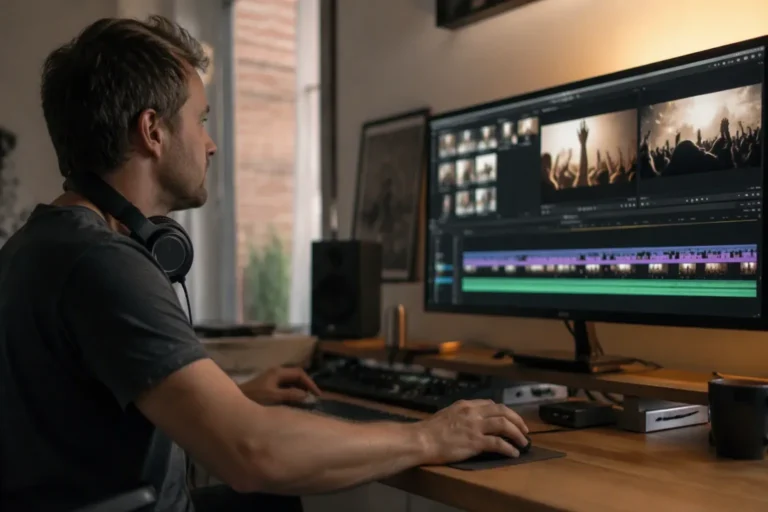
Here’s the counterintuitive part: the least hyped category saves the most time. Descript transcribes your recording and lets you edit video by editing text. Delete the sentence, the footage cuts itself. Filler-word removal, Studio Sound cleanup and eye-contact correction turn rough talking-head footage into publishable content in a fraction of traditional editing time. For podcasts, tutorials and interviews, nothing else in this article returns hours as reliably. CapCut’s free tier brings capable AI editing (captions, effects, background removal) to the social-first crowd, with one caveat: its parent company’s data practices deserve a policy check for corporate use.
Repurposing: Pictory and the clip factories
The highest-ROI video workflow of the moment isn’t creating, it’s repurposing: turning what you already have into clips. Pictory converts scripts and articles into stock-footage videos automatically, serviceable for content marketing at volume. A newer generation of clip tools analyzes long recordings and extracts social-ready highlights with captions. Quality varies from impressive to embarrassing within the same tool, so human selection remains the job. The AI proposes; you dispose.
The stack we recommend, by need
- Corporate training and onboarding: Synthesia, with HeyGen when translation dominates.
- Marketing and social content: Descript for human footage, plus Runway or Luma for generated b-roll.
- Podcast and interview production: Descript, full stop.
- High-volume content repurposing: Pictory and a clip tool, with human curation.
- Solo creators on a budget: CapCut’s free tier plus HeyGen’s free plan covers startling ground.
What to budget
A realistic professional stack runs $50 to $90 a month: one avatar platform, one editor, and occasional generative credits. The trap to avoid? Stacking three tools that overlap. The categories above are complements, not alternatives, and one per category is the discipline that keeps both your budget and your sanity intact.
Production lessons from our test projects
Beyond the tools, the projects taught us what the tutorials skip. Audio quality matters more than video quality: audiences tolerate soft footage and abandon bad sound, so budget attention for the microphone and AI cleanup before any visual upgrade. Consistency beats spectacle: the training series that performed best used one avatar, one template and ruthless script discipline, not the fanciest generations. And generative footage earns its place as seasoning, not the meal: two-second atmospheric clips between real content raised production value noticeably, while fully generated explainers read as synthetic within seconds.
On workflow: script everything before touching any tool, because generation speed makes it tempting to produce before thinking, and the result is polished footage of an unclear idea. Write the script, record or generate the voiceover first, and cut visuals to the audio. That audio-first order is the single change that most improved our output quality, and it costs nothing.
One more thing: show stakeholders the category boundaries early. When everyone understands that avatars deliver information, generators deliver atmosphere, and editors deliver speed, feedback converges on the achievable instead of orbiting the imagined. That shared vocabulary kept our projects on schedule more than any tool choice.
How we tested. Every tool here produced deliverables for real projects: a twelve-video training series, a product launch video and four weeks of daily social clips, with production time logged against traditional workflows. Self-funded accounts throughout. Protocol on our methodology page.
The bottom line
Remember the three-categories question at the top? You now know more about AI video than most buyers. If you purchase one thing, make it Descript or its equivalent, because the tools that finish human footage faster serve every other video you’ll ever make. Add avatars when information must scale beyond your filming capacity, and generative footage when your imagination outruns your b-roll library. Full profiles live across our Top 40 ranking, including Runway, Synthesia and Descript. Lights, camera, algorithm.